
NESTER PLAY / ON-COURT GUIDES
Padel scoring.
Right on your wrist.
Control the points from Apple Watch while your paired iPhone keeps the session together.
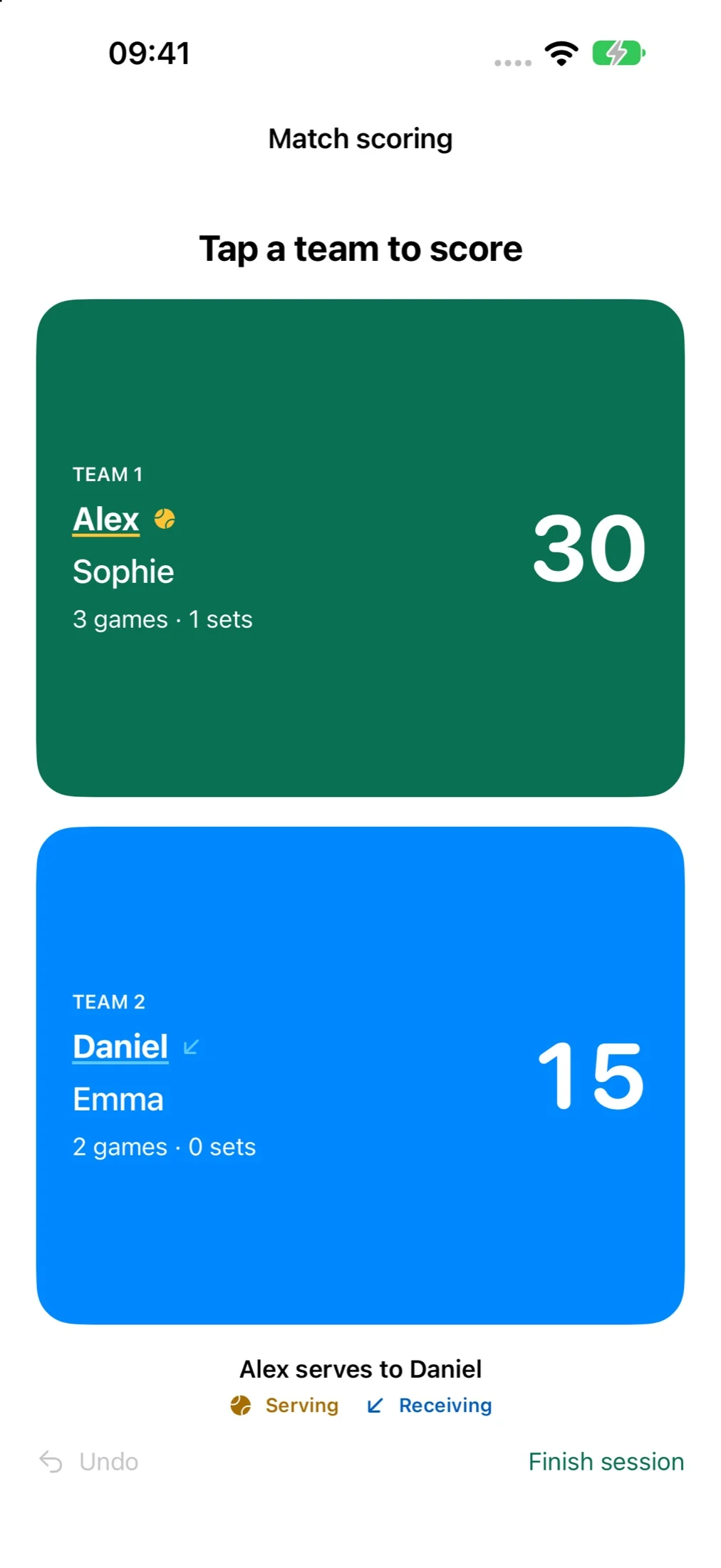
How Apple Watch scoring works
One organiser creates the session in Nester Play, invites the other players and chooses the scoring controls. Once everyone has checked in, the organiser can use their Apple Watch to award points and follow the game. The iPhone owns the session, so the Watch and phone use the same score.
- Set up your session. Choose 2–6 players, the match length and whether teams stay together or rotate between matches.
- Invite your friends. Players accept and check in. If you choose custom teams, invited players pick an available side or mixer place.
- Choose Apple Watch. Follow the teams and first-serve guidance, then press Play when your group is ready.
- Tap between rallies. Award the point to the correct team. If you make a mistake, Undo lets you correct it.
Do you still need your iPhone nearby?
Your paired iPhone needs to stay powered on and nearby. You can put the phone away, but this is not standalone Watch scoring with your iPhone left at home.
Apple Watch does not pair with the Android version of Nester Play. Android players can use phone scoring, and you do not need to own a Watch to join a session.
Know who serves, without guessing
The session gives server and receiver guidance before play. During scoring, the serving and receiving players are highlighted. Between games, check the next serve before pressing Play again. The organiser remains responsible for entering the correct points.
When a match ends, you can continue the session with another match. Fixed sides keep the chosen team identity; rotating sessions create the next lineup at the selected match interval. Resting players come back in according to the session format.
A few things to check before going on court
- Open the current Nester Play app on your iPhone and paired Watch before starting.
- Keep the phone powered on and within normal connection range. Check the connection before putting it away.
- Make sure the Watch sits securely on your wrist. Apple controls wrist detection, passcode locking and screen sleep.
- Always On can keep information visible on supported Watch models, but the display still dims. Nester Play cannot promise a permanently bright screen.
- If the connection is interrupted, wait for the latest score to return before adding another point.
Prefer to score on your phone?
That works too. Use the phone controls to add points and see serving guidance, or choose the iPhone scoreboard and control it with your Watch. The court-display concept is another view we are developing for venues, rather than a requirement for playing.
All current features are free during development. Nester Play is not publicly available to download yet. Contact us about the app if you would like to know more.